Factory & workshop POS with BOM and production
Keep parts and raw material, know the cost to make every product and turn repair jobs into customer bills.
Off by default · switch it on in Settings → Business modes
From raw material to a finished bill
Parts and stock
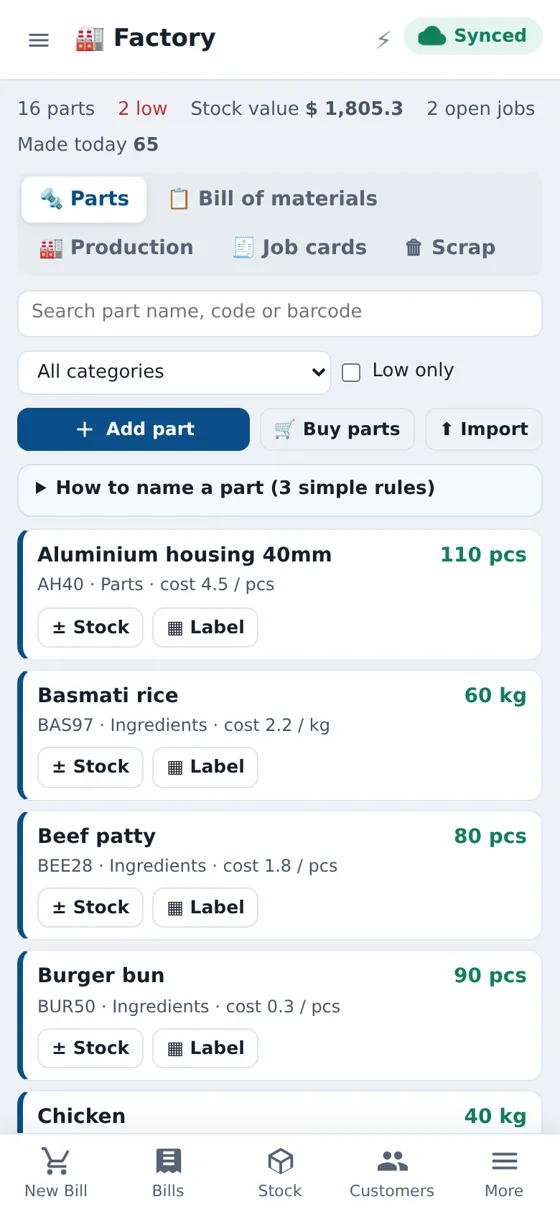
Know what is in stock, what is low and what to order.
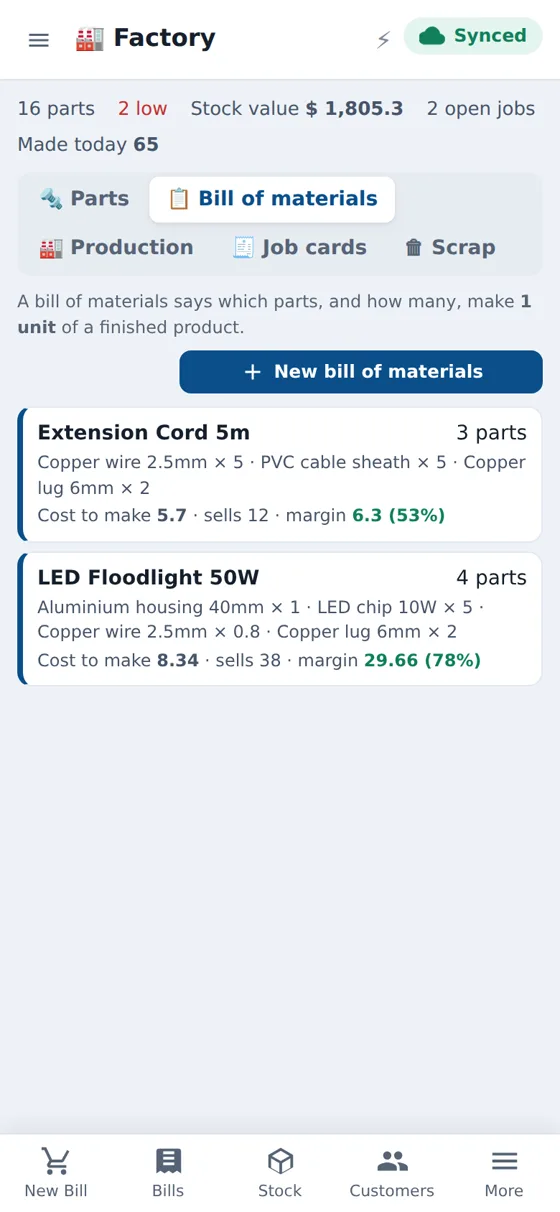
Cost to make
Bill of materials shows cost, selling price and margin.
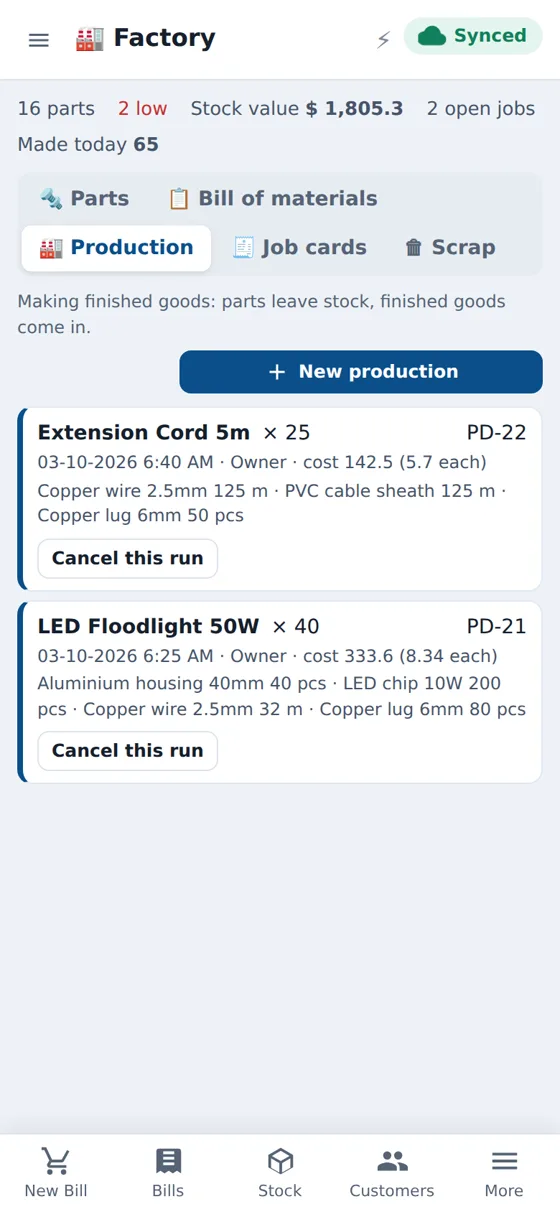
Production
Parts out, finished goods in, and reversible if you make a mistake.
Customer credit
Track balances, payments and cheques per customer.
Control orders, stock and payments
Workshops and factories sell on credit, take orders and keep many parts. CloudSync POS Factory mode adds parts, a bill of materials, production runs and job cards to your normal billing. It is off by default.
- Quotations and customer orders
- Cheque and credit tracking
- Supplier purchases and stock levels
- Scrap and low-stock warnings
- Multiple staff with different permissions
- Cloud sync to the owner’s phone
Try it on your own data
Import your product list, open the app and use the free 14-day trial to test it in your business.
Questions
What is a bill of materials?
It is the list of parts and quantities that go into one finished product. The POS adds up the cost to make it and shows your margin.
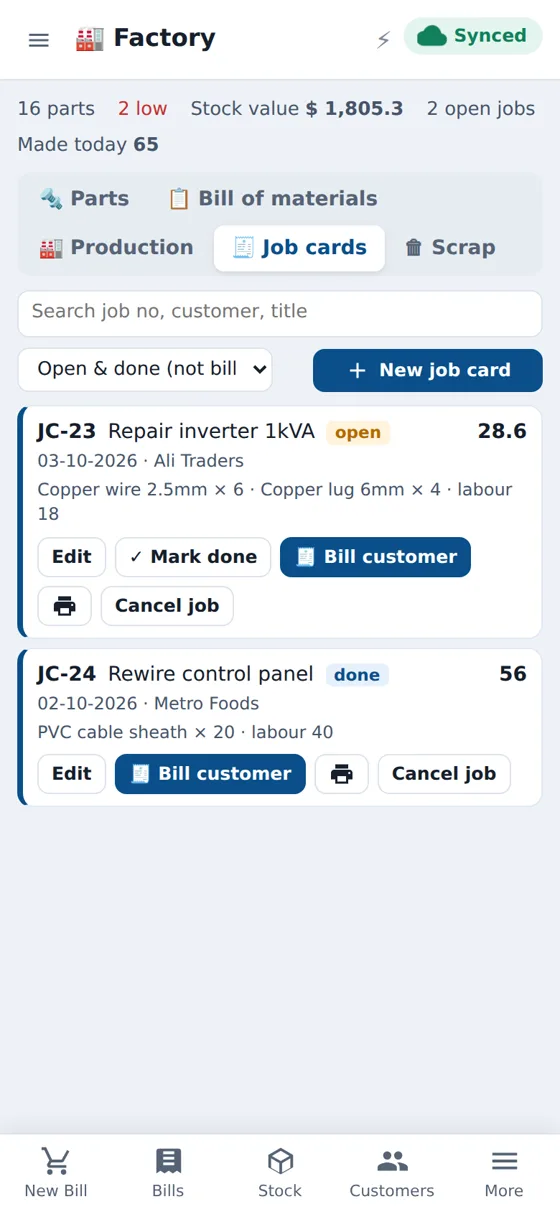
Can I bill a repair job?
Yes. A job card can be billed in one tap and then shows as billed.
Can I reverse a production run?
Yes. If you cancel it, stock goes back as it was.
Try it free for 14 days
No card needed. Open the app, switch the mode on in Settings and take your first order.