Restaurant POS with tables, kitchen & delivery
Take orders at the table, send them to the kitchen, track riders and bill in one tap. Built for restaurants, cafés, fast food and bakeries, and off until you switch it on.
Off by default · switch it on in Settings → Business modes
From table to bill in five taps
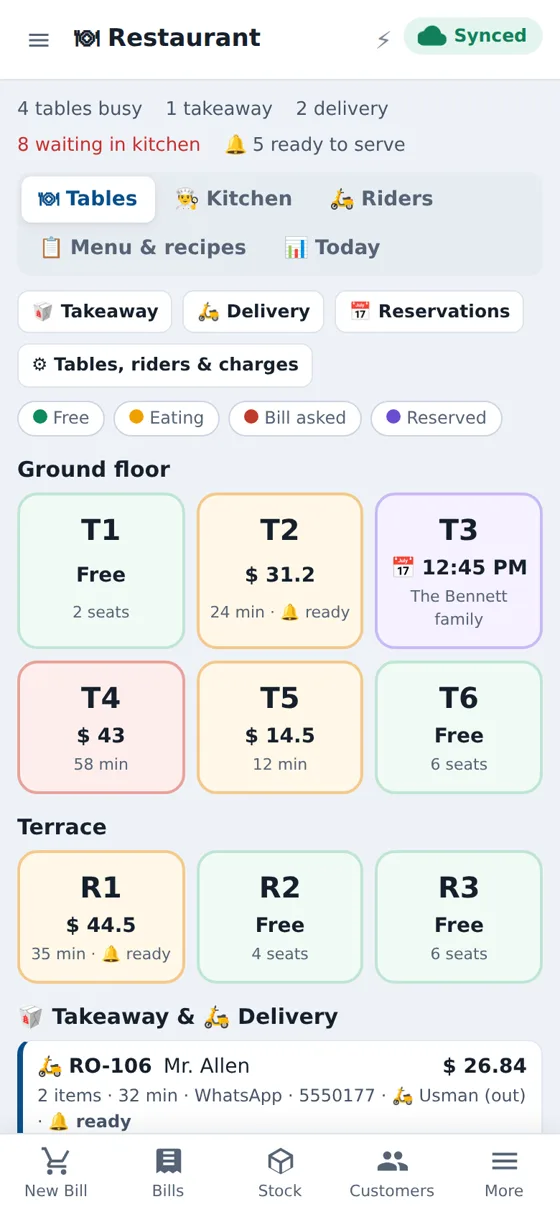
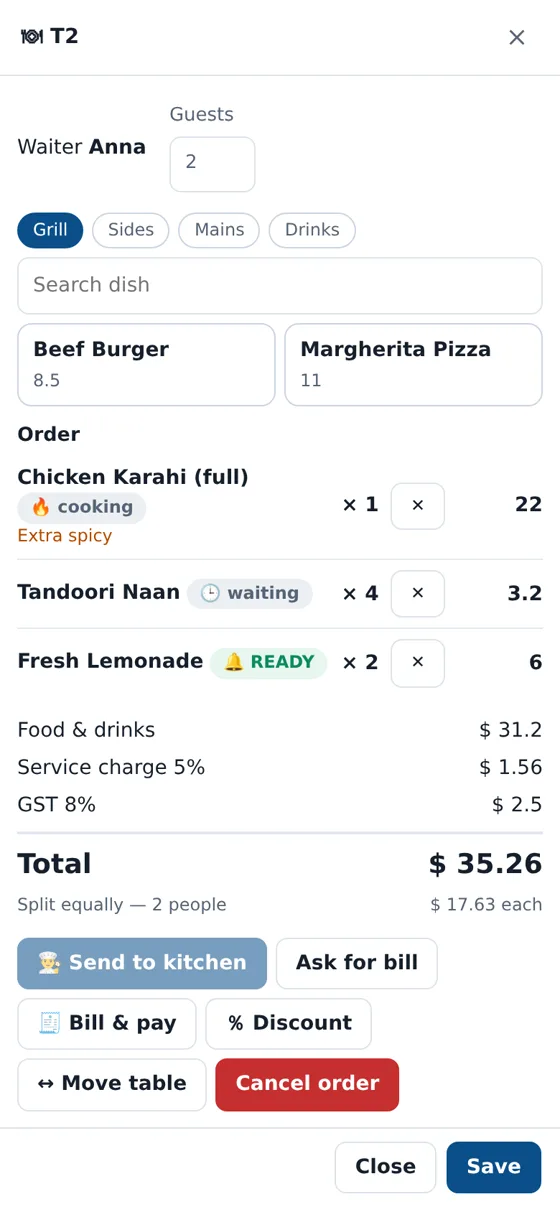
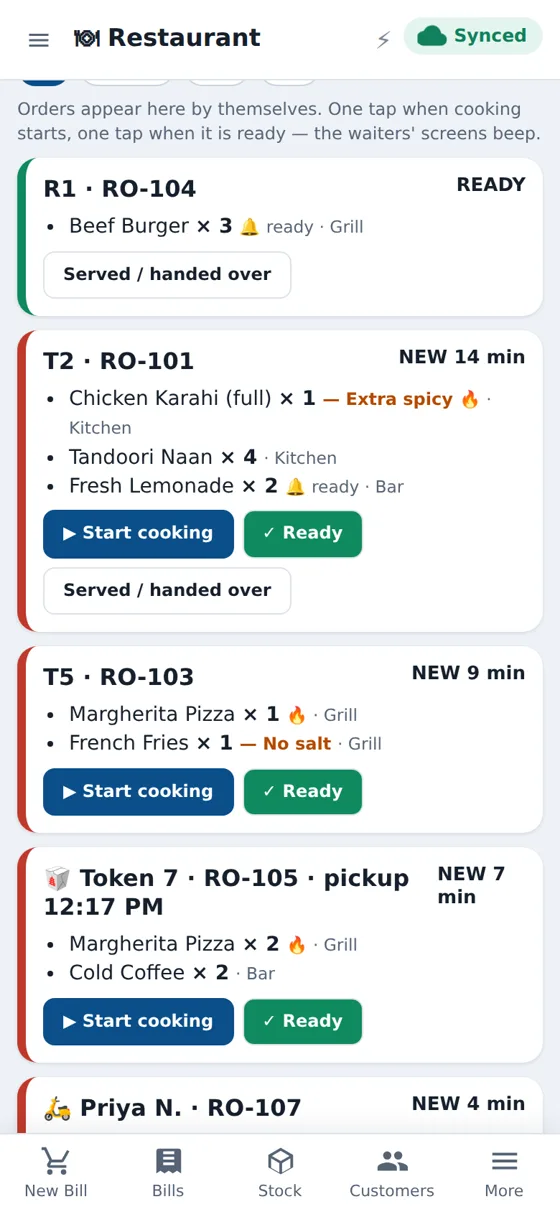
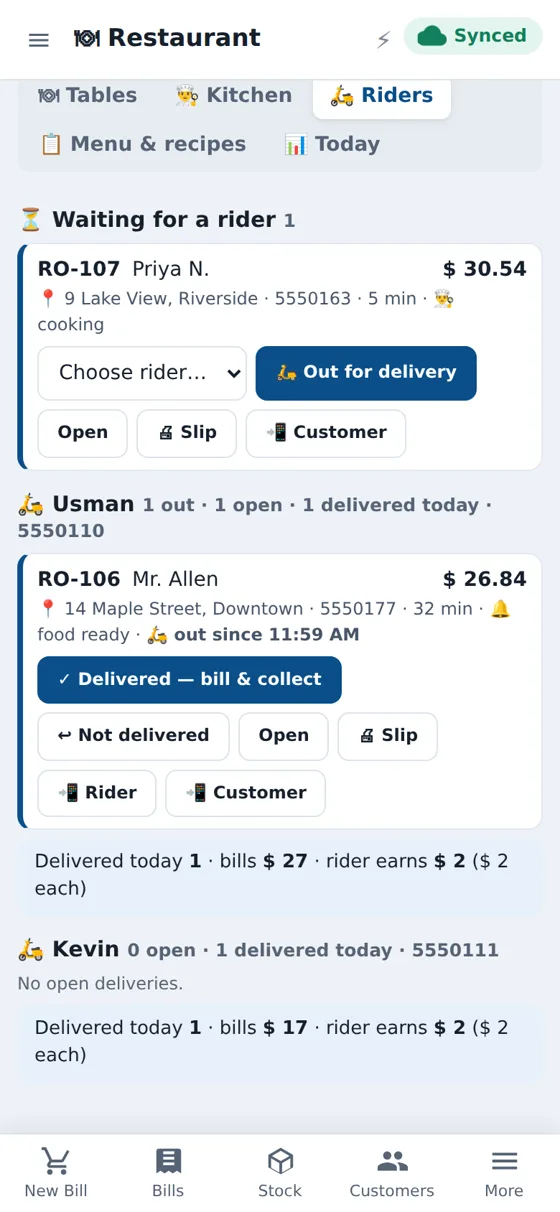
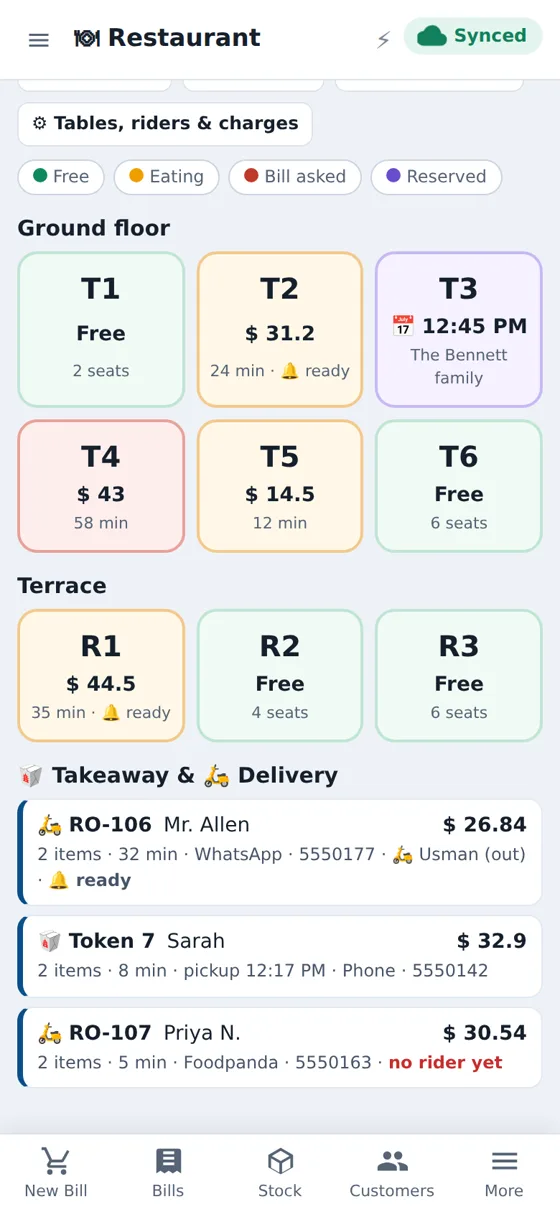
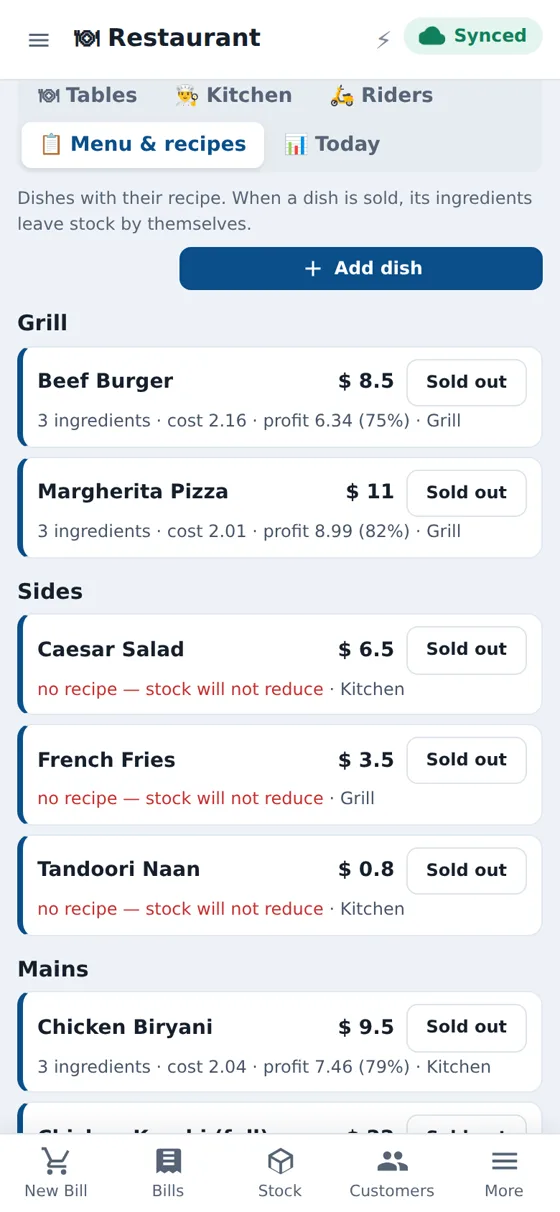
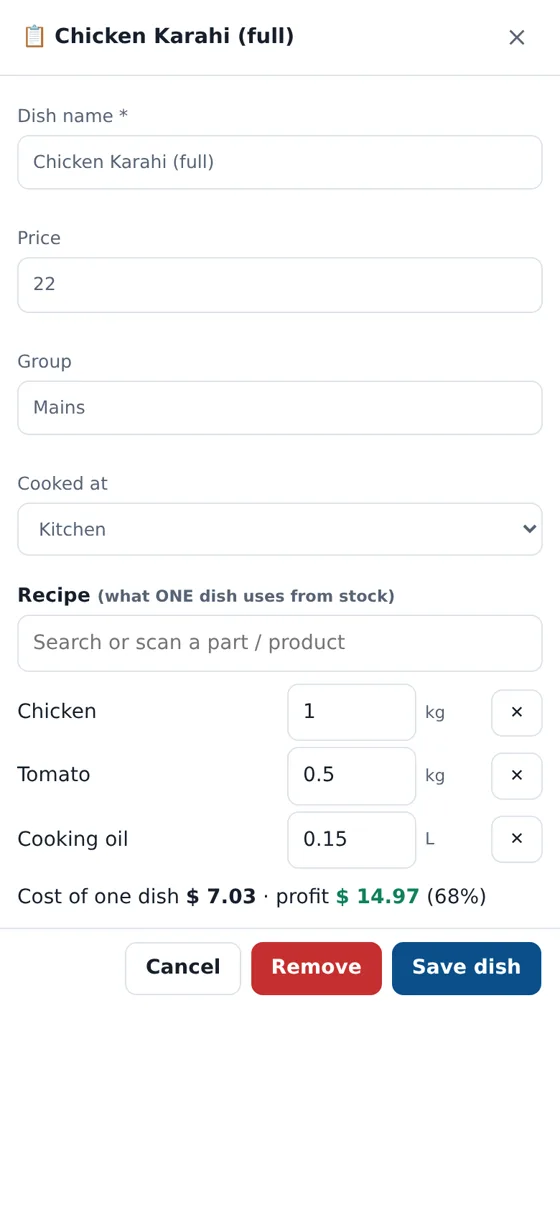
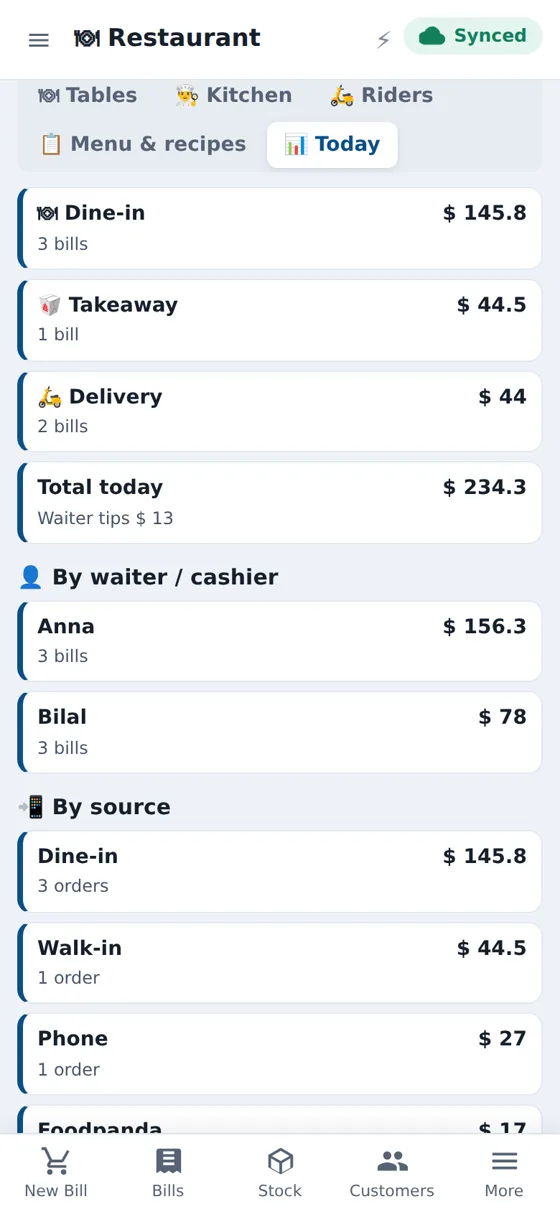
Table map
Free, eating, bill asked and reserved at a glance, in areas such as Ground floor and Terrace.
Kitchen screen
Orders with timers, stations such as Grill and Bar, a slow-order warning and a beep when food is ready.
Takeaway and delivery
Token numbers, pickup time, delivery zones with their own charges, and packing charges.
Riders
Assign a rider, mark out for delivery, delivered and bill, with earnings per rider and WhatsApp messages.
Menu and recipes
Write a recipe for each dish and see cost, profit and margin. Mark dishes sold out.
Ingredient stock
Ingredients leave stock when the bill is made. Record waste and see low-stock warnings.
Daily report
Sales by type, waiter and source, voids, waste and low stock in one screen.
Works offline
The till keeps working when the internet drops and syncs later.
Restaurant POS software that runs the whole floor
CloudSync POS Restaurant mode adds a table map, order taking, a kitchen display, takeaway, delivery and riders to the same POS you use for billing and stock. It is off by default, so a normal shop never sees it.
Takeaway, delivery and riders
Take a phone order with the customer’s name, address and delivery zone. Pick a rider, tap Out for delivery and message the customer on WhatsApp. When the rider is back, tap Delivered and the bill is ready to collect cash. Each rider’s orders and earnings are listed on one screen.
Menu, recipes and ingredient stock
Give each dish a recipe. The POS shows the cost to make and your margin, and takes ingredients out of stock when the order is billed. Mark a dish sold out in one tap so waiters stop selling it.
Reservations, discounts and charges
Reserve a table for a time and seat the guests when they arrive. Add a discount with a reason, a service charge for dine-in and tax. Cancel an item or a whole order with a reason so every void is recorded.
Works on PC, tablet and phone
Use the PC at the counter, a tablet in the kitchen and phones for waiters. Staff only see what you allow.
Questions
Is Restaurant mode on by default?
No. It is off until you switch it on in Settings, Business modes. Nothing in your normal billing changes.
Can it print kitchen orders?
Yes. You can turn on a kitchen order slip in the restaurant setup. The kitchen screen also shows orders by itself.
Does it handle delivery riders?
Yes. Assign a rider, mark the order out for delivery and delivered, send WhatsApp messages and see each rider’s earnings.
Does it take ingredients out of stock?
Yes. Write a recipe for a dish and the ingredients leave stock when the order is billed. Waste can be recorded too.
Is Restaurant mode part of every plan?
Restaurant mode is a plan feature. It is included in Premium and can be added to other plans. Message us for a quote.
Try it free for 14 days
No card needed. Open the app, switch the mode on in Settings and take your first order.