Salon & Spa POS with appointments and commission
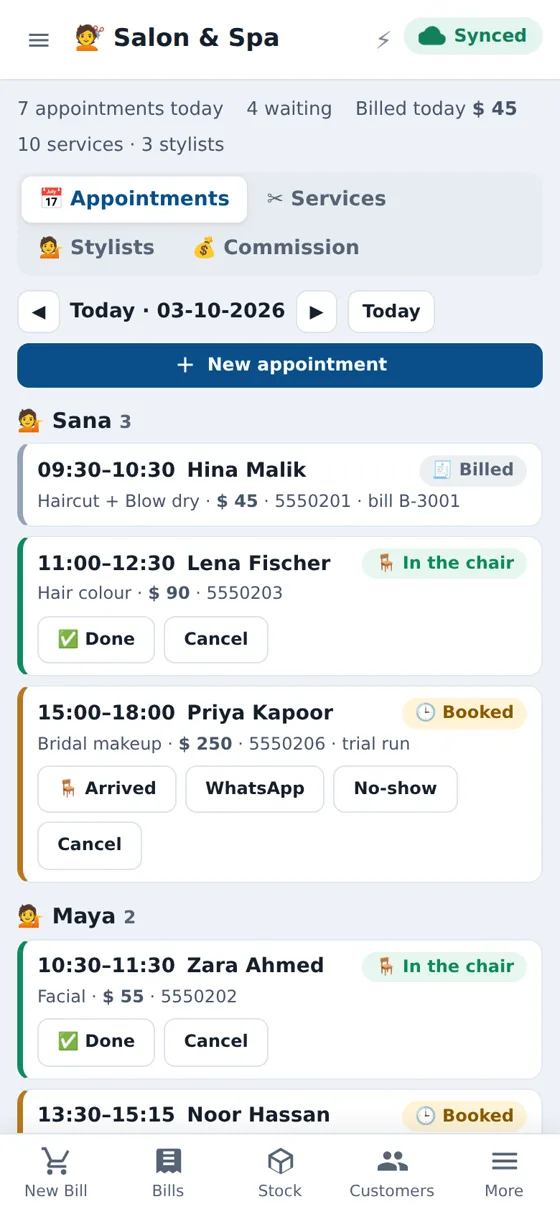
See every stylist and every booking for the day, check customers out with a tip and know each stylist’s commission at month end.
Off by default · switch it on in Settings → Business modes
From booking to checkout

Stylists
Add stylists with their commission percent and see their day.
Services
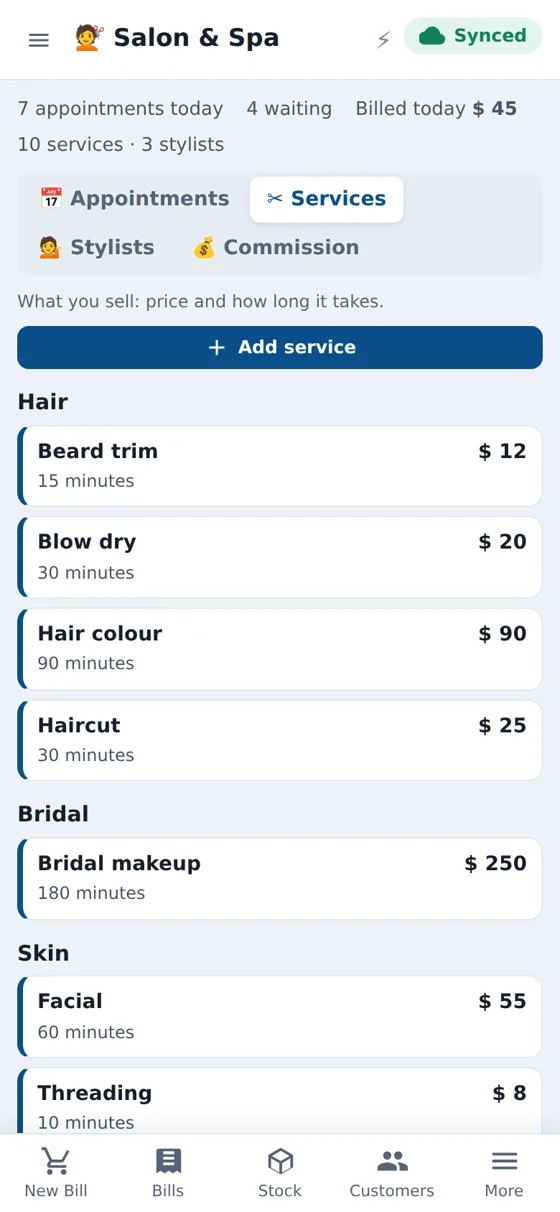
Services with time and price, kept apart from your product list.
WhatsApp reminders
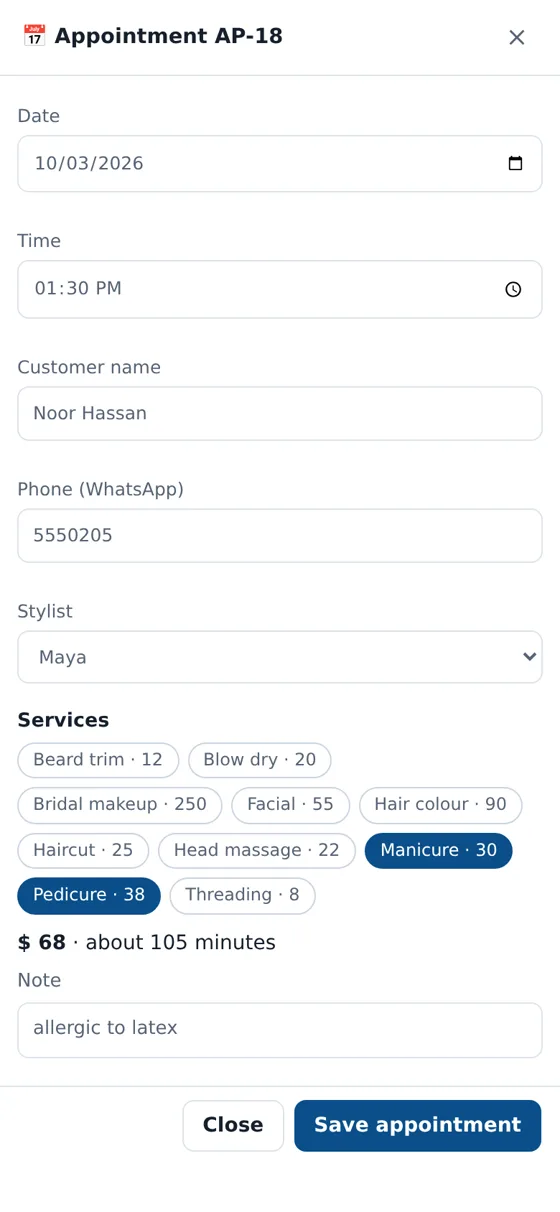
Remind the customer before the visit in one tap.
Commission report
Monthly commission for each stylist, ready for payroll.
Run your salon without paperwork
Front-desk teams need billing that is quick and friendly. CloudSync POS Salon & Spa mode adds appointments, stylists and commission to the normal POS. It is off by default and you switch it on in Settings, Business modes.
- Bills for services and retail products together
- Day view grouped by stylist, with a busy-stylist warning
- Customer accounts, advance payments and balances
- Staff roles so only managers see the numbers
- Phone access so owners can check sales from anywhere
- Offline billing when the internet drops
Ready in minutes
Download the Windows app and your 14-day free trial starts automatically.
Questions
Does it warn me about double booking?
Yes. If a stylist already has a booking at that time, the POS shows a warning before you save.
Is stylist commission paid automatically?
The POS works out each stylist’s commission per month in a report. You add it to payroll yourself.
Can I take tips?
Yes. Add a tip at checkout and it is counted with the bill.
Try it free for 14 days
No card needed. Open the app, switch the mode on in Settings and take your first order.